OccasionsChoose your wedding dress with friends
Shortlist bridal gowns from any boutique or website, see each one on yourself and let your closest friends vote for the final.
- 01Screenshot the dresses you love on bridal sites and boutique pages.
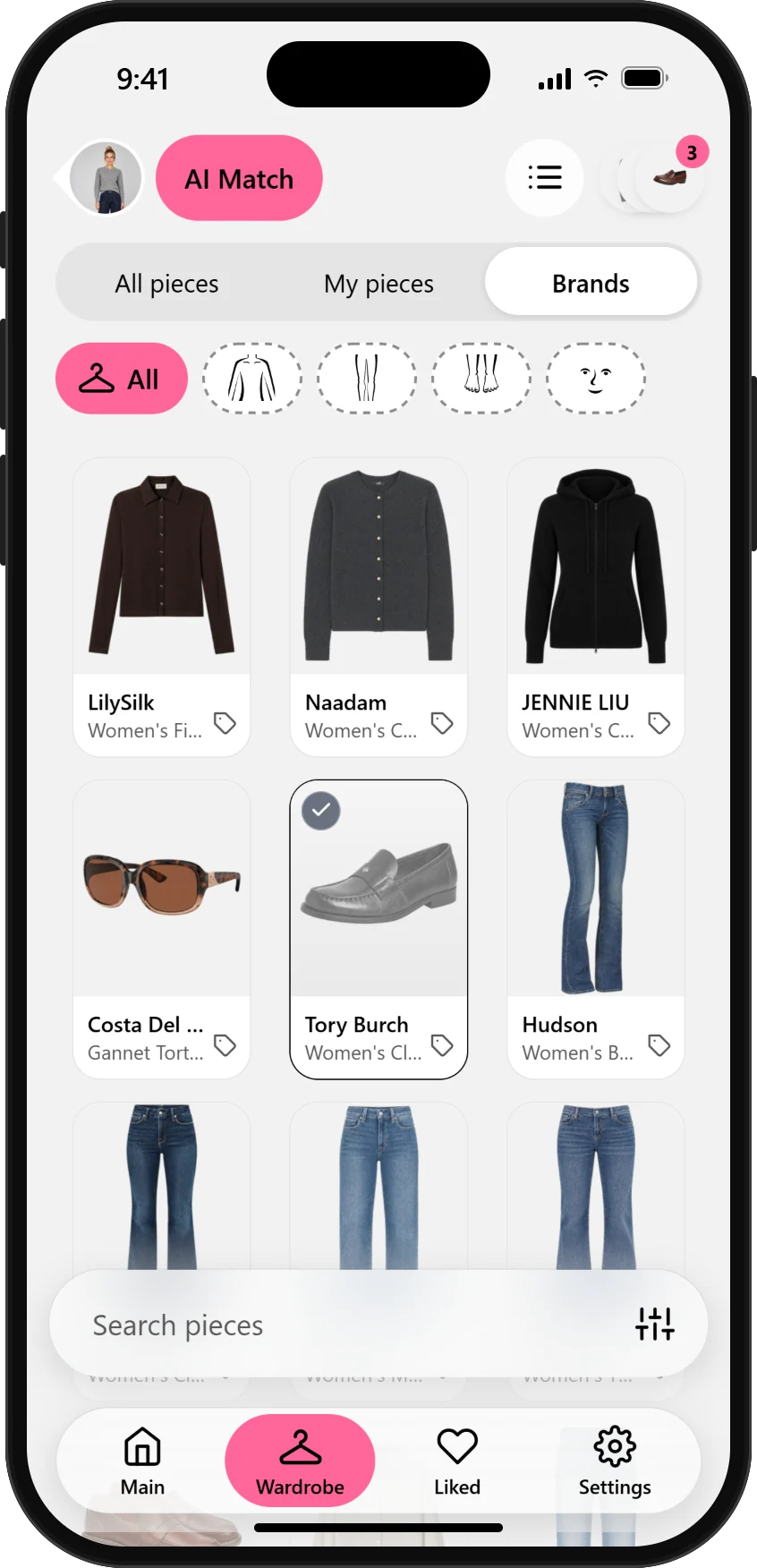
- 02Add the screenshots to My wardrobe – the app cuts out each dress for you.
- 03Create a look with every dress on your own photo.
- 04Like your favorites and share them with friends to pick the one.
Read the guidePhotosCreate professional profile photos and avatars
Turn a casual photo into a polished, business-ready portrait for LinkedIn, your CV or your team page – no studio and no new suit needed.
- 01Upload a clear, well-lit photo of yourself facing the camera.
- 02Pick a blazer, shirt or dress from the library, or add one from any fashion site.
- 03Generate the look and try a couple of variations.
- 04Save the best result and use it as your profile photo or avatar.
Read the guideShoppingTry on clothes from any online shop
Not sure how that jacket will look on you? Screenshot it, try it on virtually and only order what you'd actually wear.
- 01Take a screenshot of the product on any online store.
- 02Add it to My wardrobe in a couple of taps.
- 03Generate a look on your photo, with pieces you already own.
- 04Buy with confidence – and skip the returns.
Read the guideOccasionsFind the perfect wedding guest outfit
Match the dress code, compare a few options side by side and settle on the one outfit you'll buy.
- 01Check the dress code: black tie, cocktail, garden party or casual.
- 02Collect candidates from the library or screenshots from your favorite shops.
- 03Try each dress with shoes and a bag to see the full outfit.
- 04Compare your liked looks and buy just the winner.
Read the guideWardrobeGet new outfits from clothes you already own
Photograph your own clothes once and let AI find combinations you haven't thought of.
- 01Lay a few items out flat and take one photo.
- 02The app detects each piece and adds it to My wardrobe.
- 03Use AI match to find pieces that work together.
- 04Save the combinations you like for busy mornings.
Read the guideWardrobePlan holiday outfits and pack light
Build a small travel capsule, plan a look for every day of the trip and leave the 'just in case' pieces at home.
- 01Photograph the clothes you're thinking of packing.
- 02Create a look for each day or activity of your trip.
- 03Swap pieces until a few items cover every plan.
- 04Pack only what made it into your saved looks.
Read the guideOccasionsPlan a job interview outfit
Dress for the company you want to join. Try formal, smart casual and creative options and see which one feels like you.
- 01Upload a photo where you stand straight and face the camera.
- 02Try a suit, a smart casual set and something in between.
- 03Check fit, colors and how confident each look feels.
- 04Save your pick and get it ready the night before.
Read the guideOccasionsPick a date night look
Romantic, relaxed or bold? Try a few moods on yourself before the big evening instead of in front of the mirror.
- 01Choose the vibe: dinner, drinks, concert or a walk.
- 02Mix library pieces with items from your own wardrobe.
- 03Generate two or three looks and compare them.
- 04Keep the favorite – or ask a friend which one wins.
Read the guideShoppingTest a new style or color before you commit
Curious about wide-leg jeans, a bold color or a completely new aesthetic? See it on yourself before spending a cent.
- 01Find the trend or color you want to try in the library.
- 02Try it on your own photo with your usual pieces.
- 03Compare it with your current style side by side.
- 04Only shop for the changes you really love.
Read the guidePhotosOutfit ideas for dating and social profile photos
Find outfits that make you look and feel your best in profile and social media photos – before the photo shoot.
- 01Upload a photo with good light and a simple background.
- 02Try a few outfits that match the impression you want to make.
- 03Keep the look that feels most like the best version of you.
- 04Use it as a photo, or wear the real outfit to your shoot.
Read the guide