
Try before you buy Love it online? See it on you first.
Product photos show the piece on someone else. Screenshot it, try it on your own photo with what you already wear, and skip the returns.
Get the app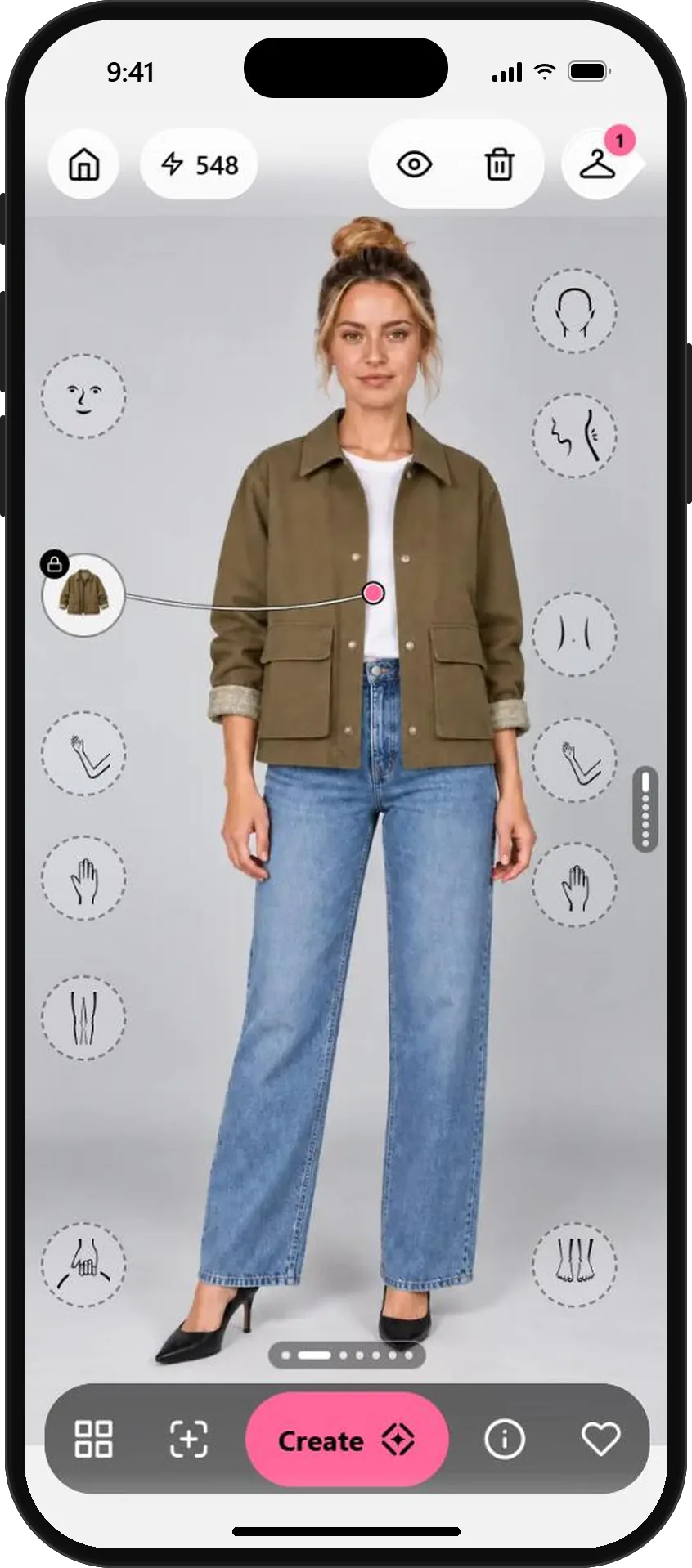
Three steps from shop page to your photo.
- 01
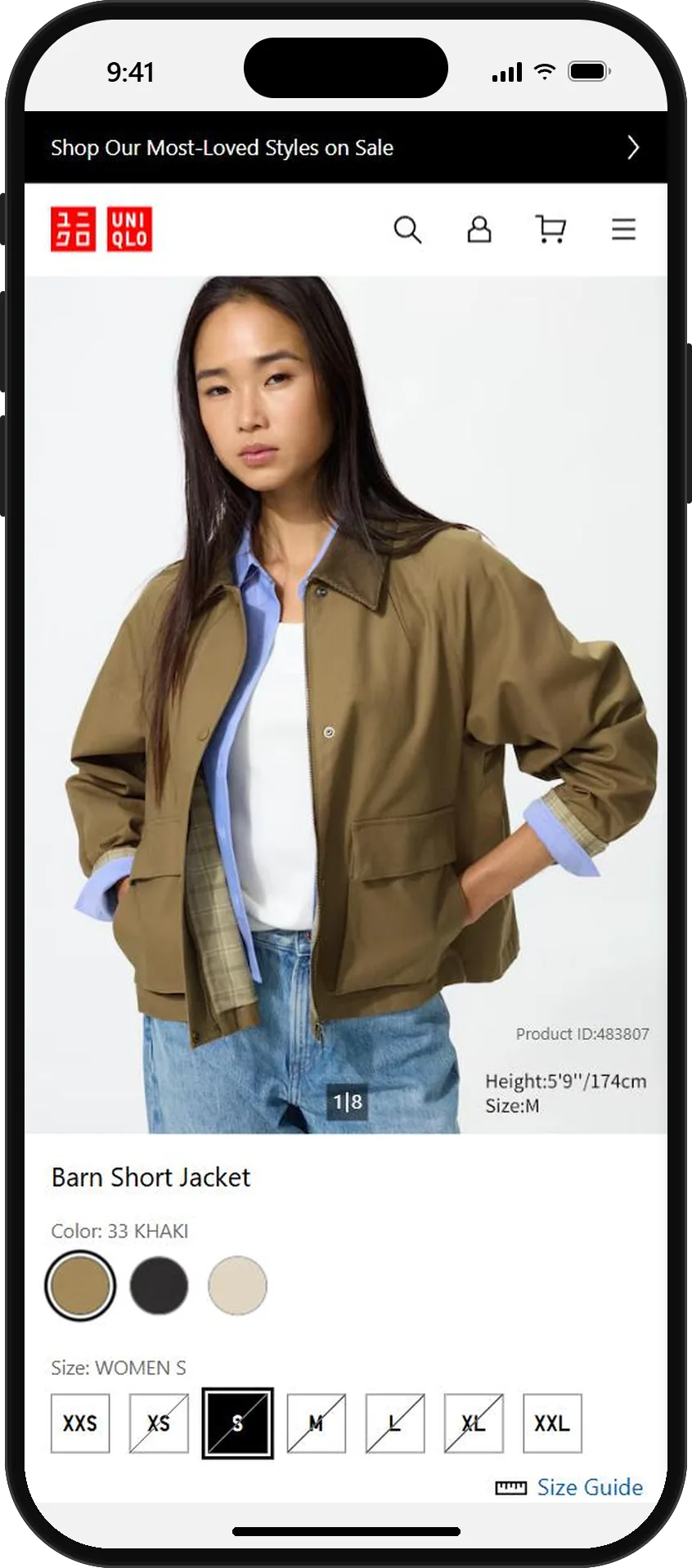
Screenshot the product page
Found a jacket you like in an online store? Take a screenshot of the product page on your phone. A photo where the whole piece is visible works best.
Product pages with a model or a flat, front-facing photo give the cleanest cut-out.
Any shop, any product page - 02
Add it to My wardrobe
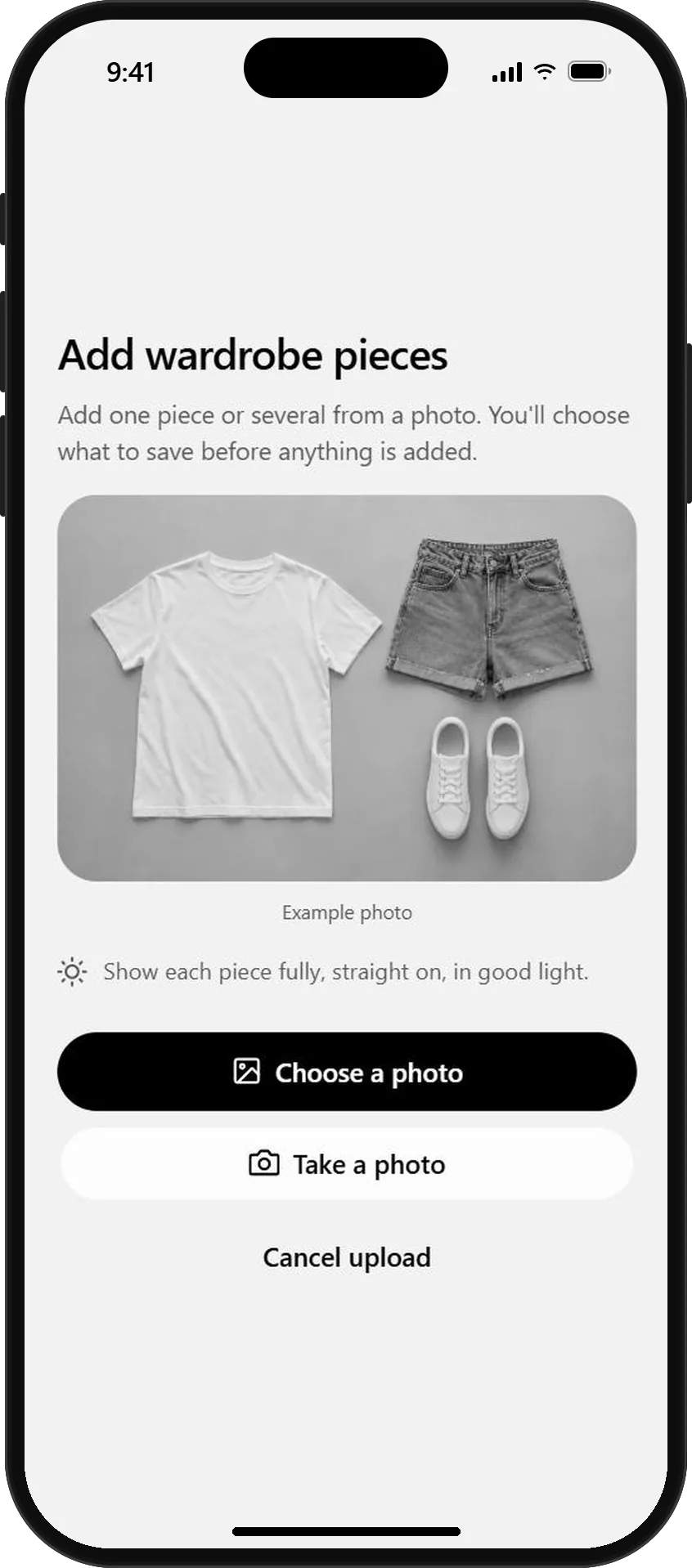
In Wardrobe, tap Add, then Choose a photo and pick the screenshot. OutfitMe finds the jacket, leaves out everything else on the page and saves it as a clean wardrobe piece with a description.
If the photo shows more than one piece, you choose which ones to keep before anything is saved.
Add from a photo or screenshot 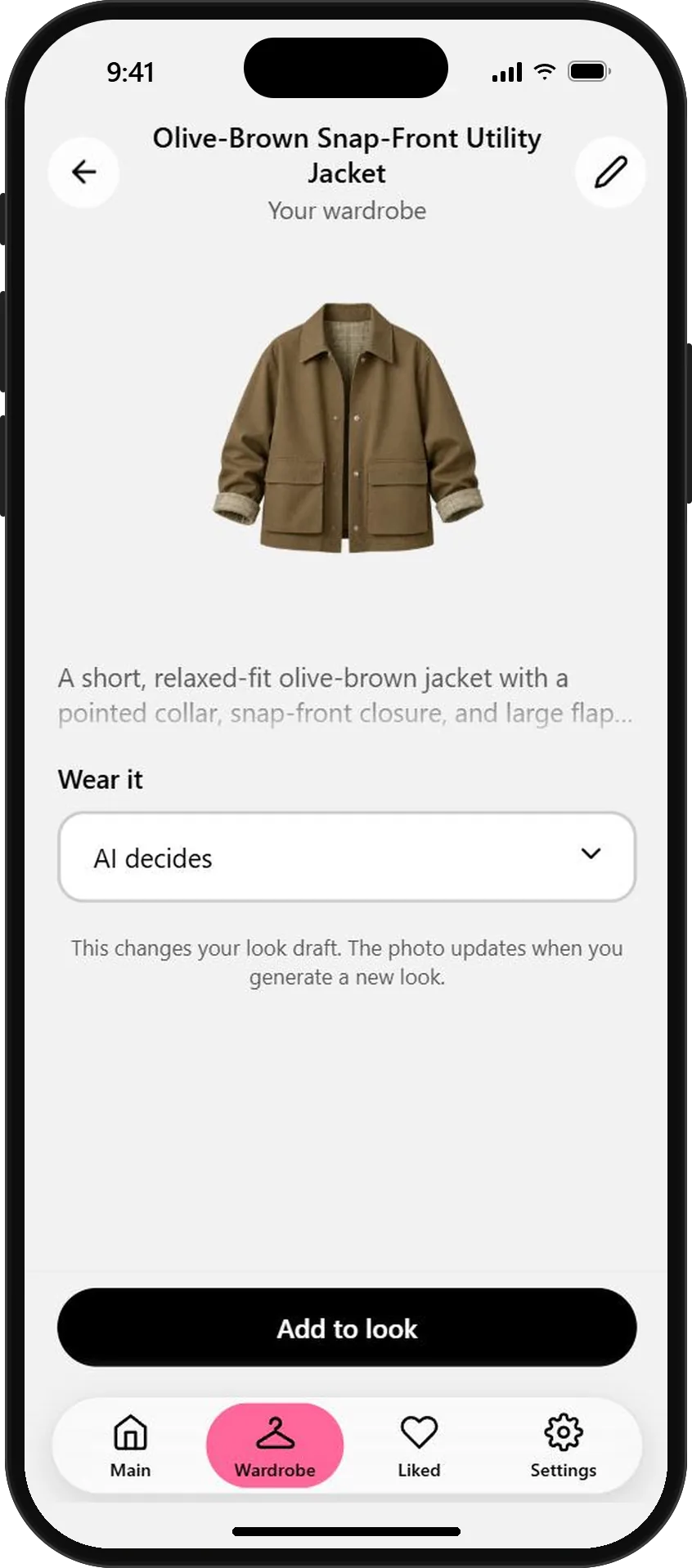
The jacket, cut out and described - 03
See it with what you already own
Tap Add to look, then Create. The jacket goes over the clothes in your photo, so you see how it works with your own T-shirt and jeans, not a stranger's outfit.
Like it? Keep the look in Liked and order with confidence. Not sure? You saved yourself a return.
The new jacket with your own jeans
AI previews help you judge style and color. Check the shop's size guide too, because exact fit can differ in real life.
What will you wear next?
Start free with your photo and the pieces you love. No credit card needed.