
Closet remix guide Same closet. New outfits.
You probably own more outfits than you think. Add your clothes once, let AI Match suggest what goes together, and see the new combinations on you.
Get the app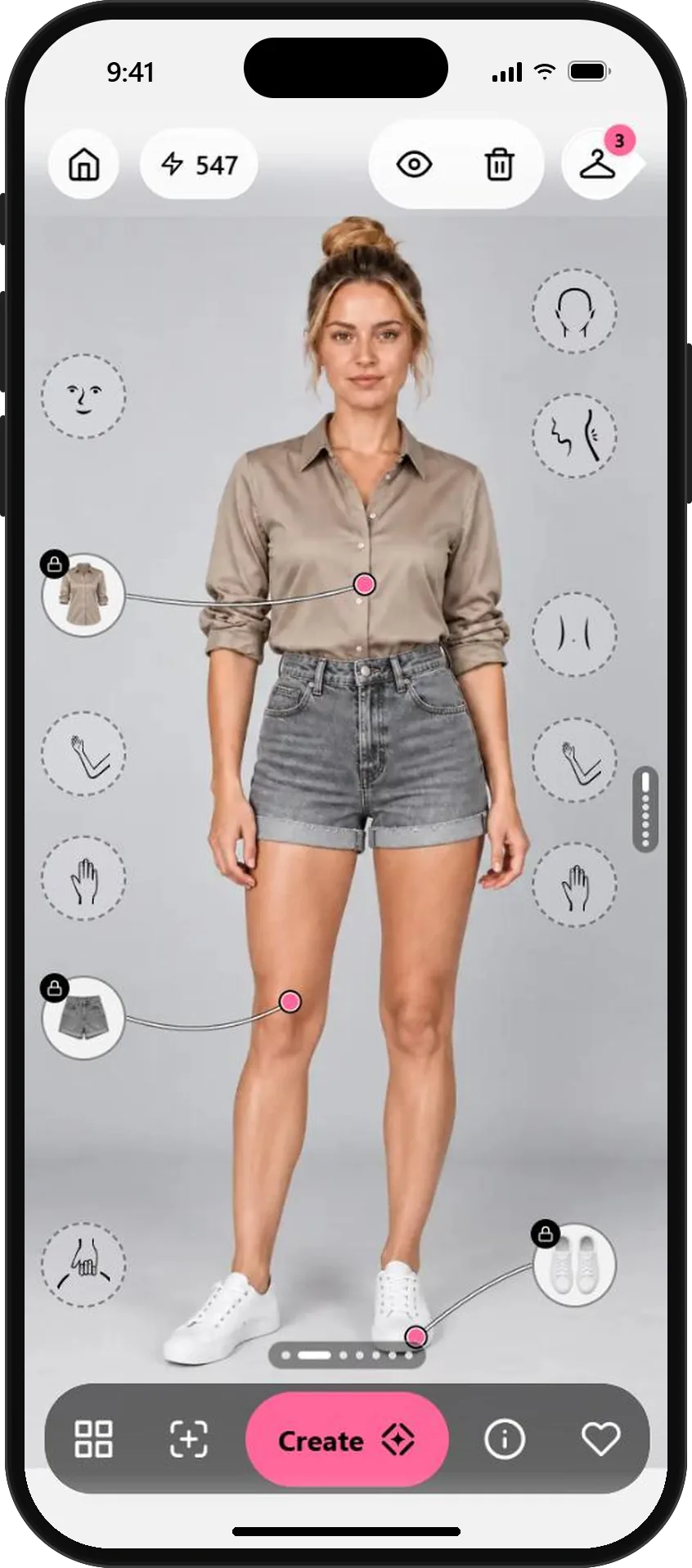
Three steps to outfits you already own.
- 01
Photograph a few pieces at once
Lay your clothes out flat, straight on and fully visible, and take one photo. In Wardrobe, tap Add and choose it. OutfitMe finds each piece, shows them numbered, and saves the ones you pick to My pieces.
Point shoe toes toward the bottom of the photo and leave a little space between pieces.
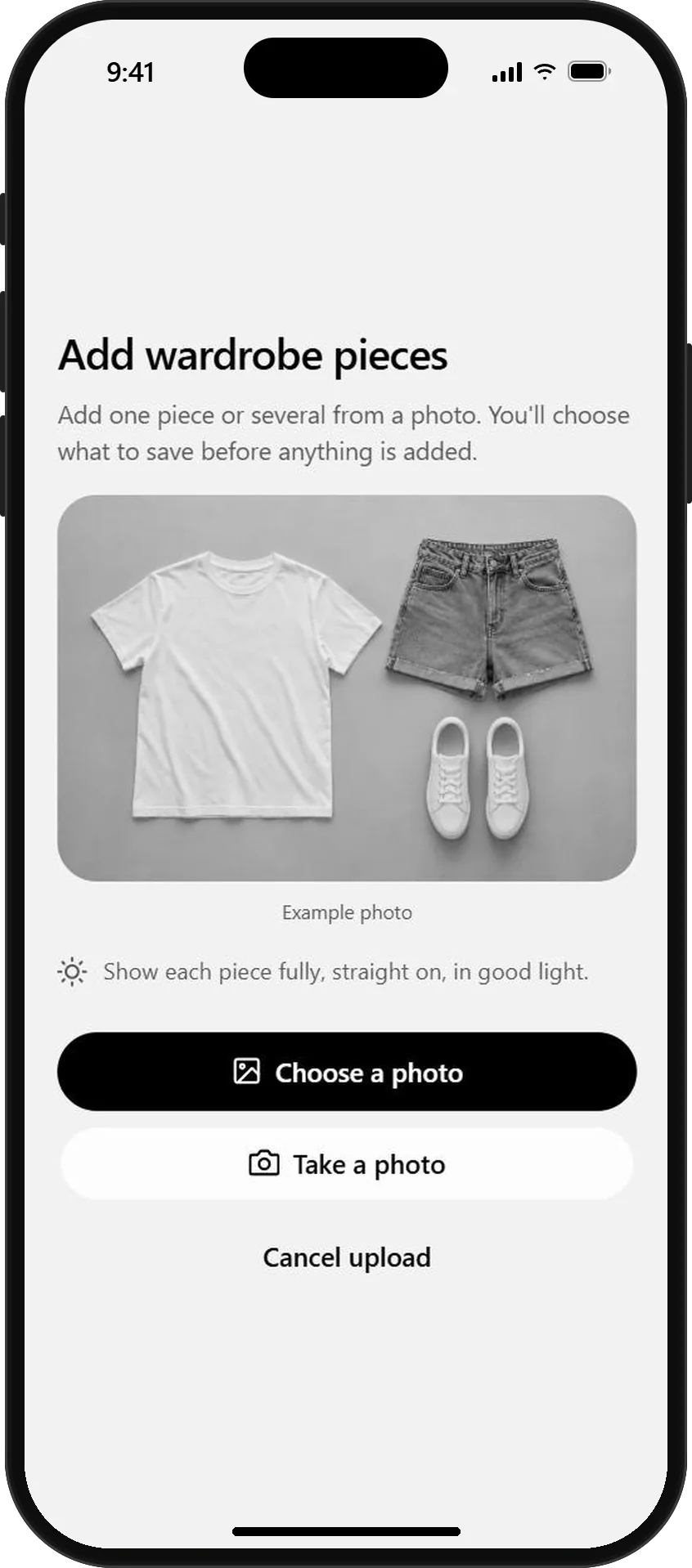
One photo, several pieces 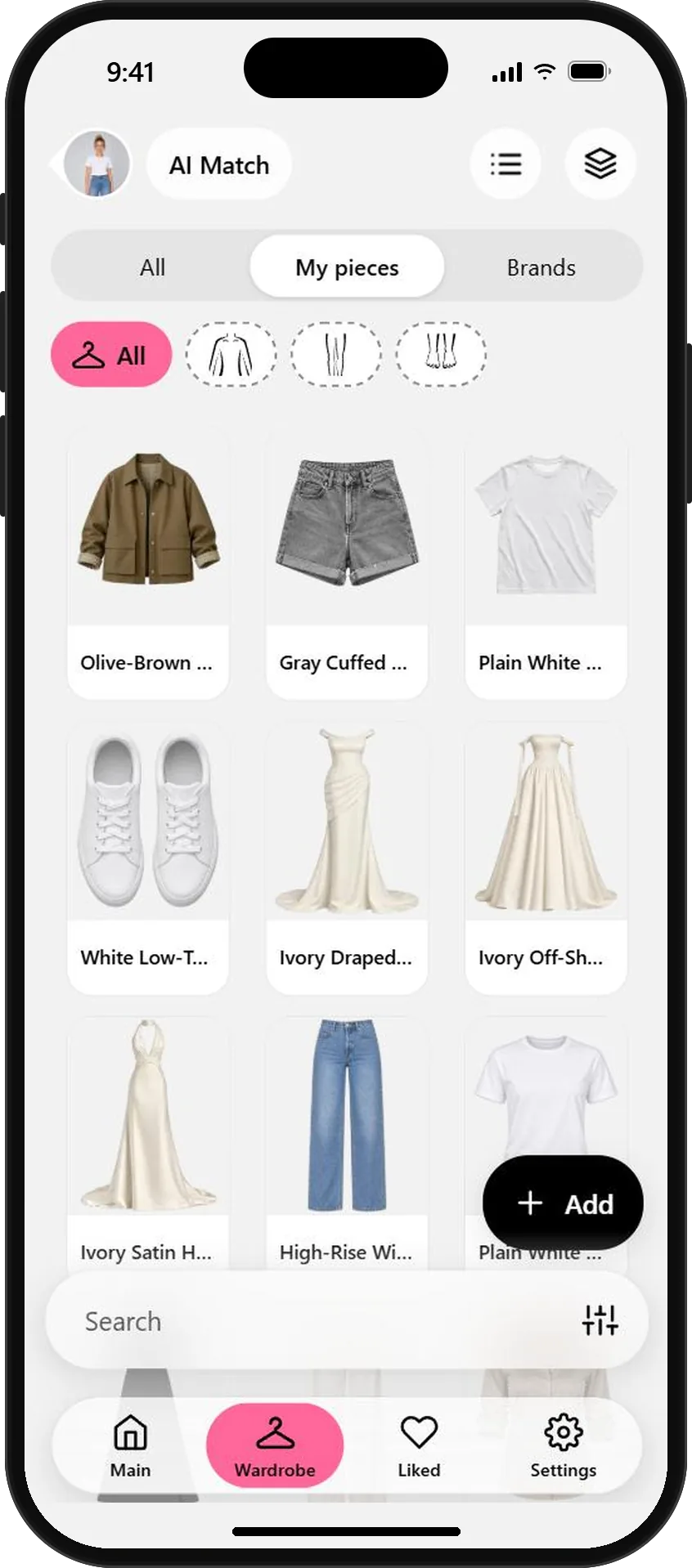
Each piece, cut out and saved - 02
Let AI Match find what goes together
Select a piece, like the shorts, and turn on AI Match. The wardrobe re-sorts to show pieces that work with it, from your own clothes and the brand library.
Use the slot filters to look only at tops, shoes or accessories.
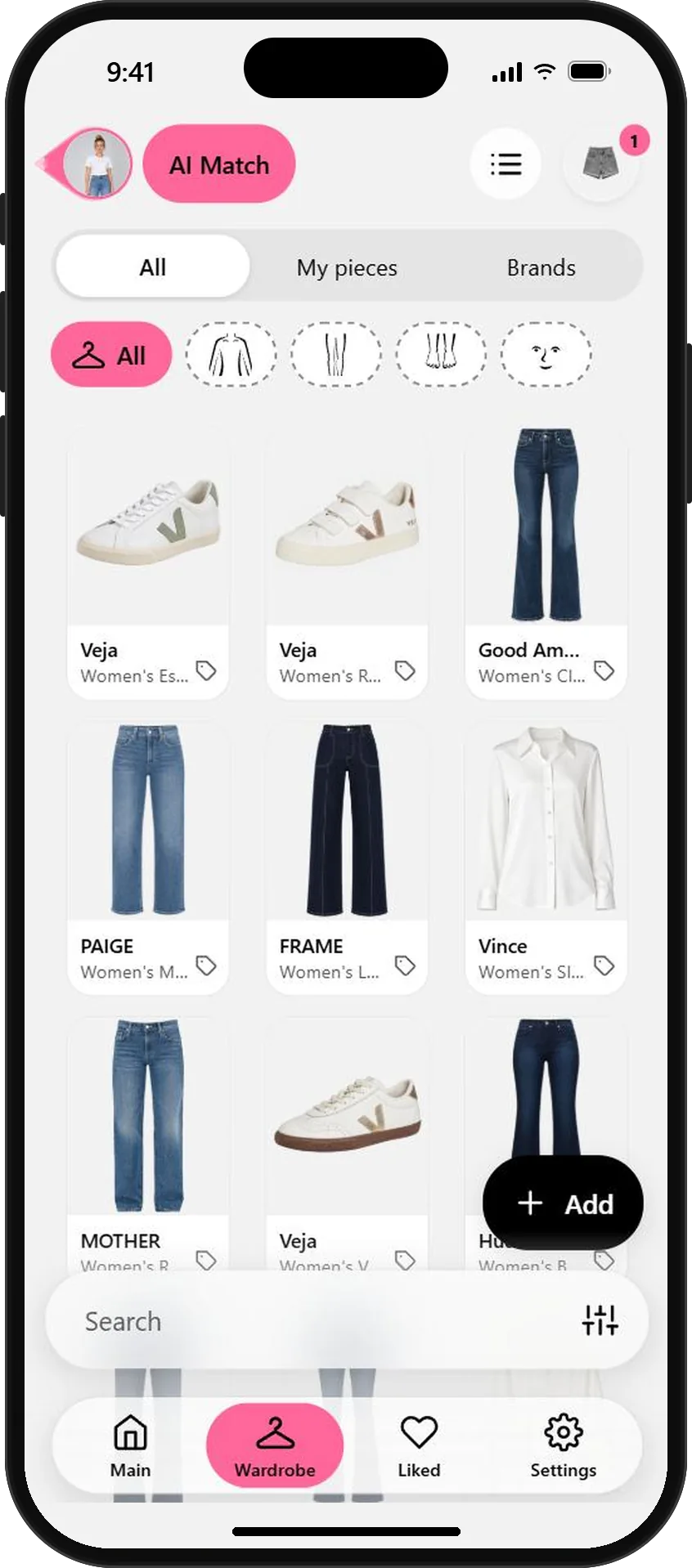
AI Match suggests what goes with it - 03
Create the combination
Add the pieces you want to try. They wait in their slots on your photo: torso, legs, feet. Tap Create to see the full outfit on you, then save the ones you like for busy mornings.
Swap one piece at a time. A different shirt or shoe often changes the whole mood.
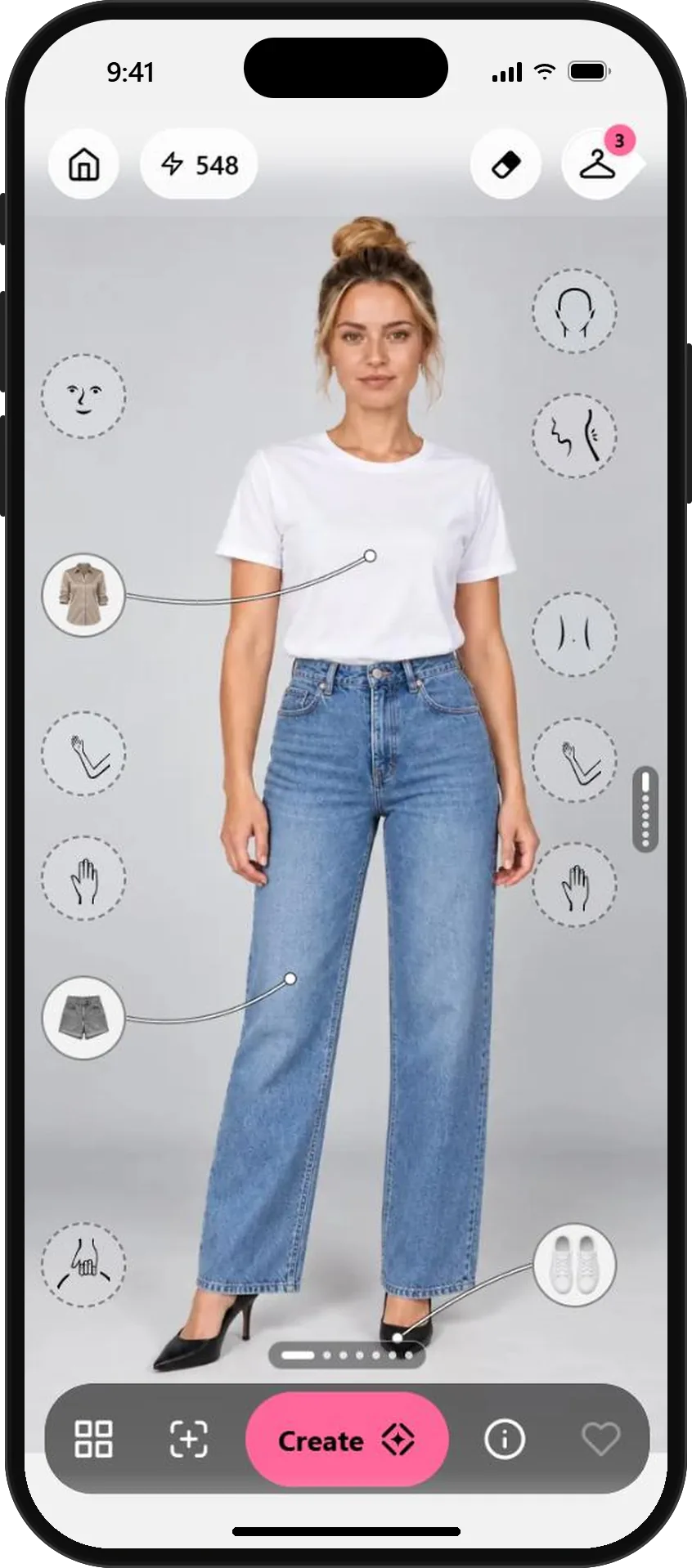
Three of your pieces, ready to go A new outfit from your own closet
AI previews help you imagine new combinations. Real fabrics drape and fit a little differently, so try the favorites on before a big day.
What will you wear next?
Start free with your photo and the pieces you love. No credit card needed.