

Wedding guest guide Dressed for the day. Without stealing the show.
Garden party, cocktail or black tie: try a few dresses that fit the dress code on your own photo, finish the outfit, and buy just the winner.
Get the app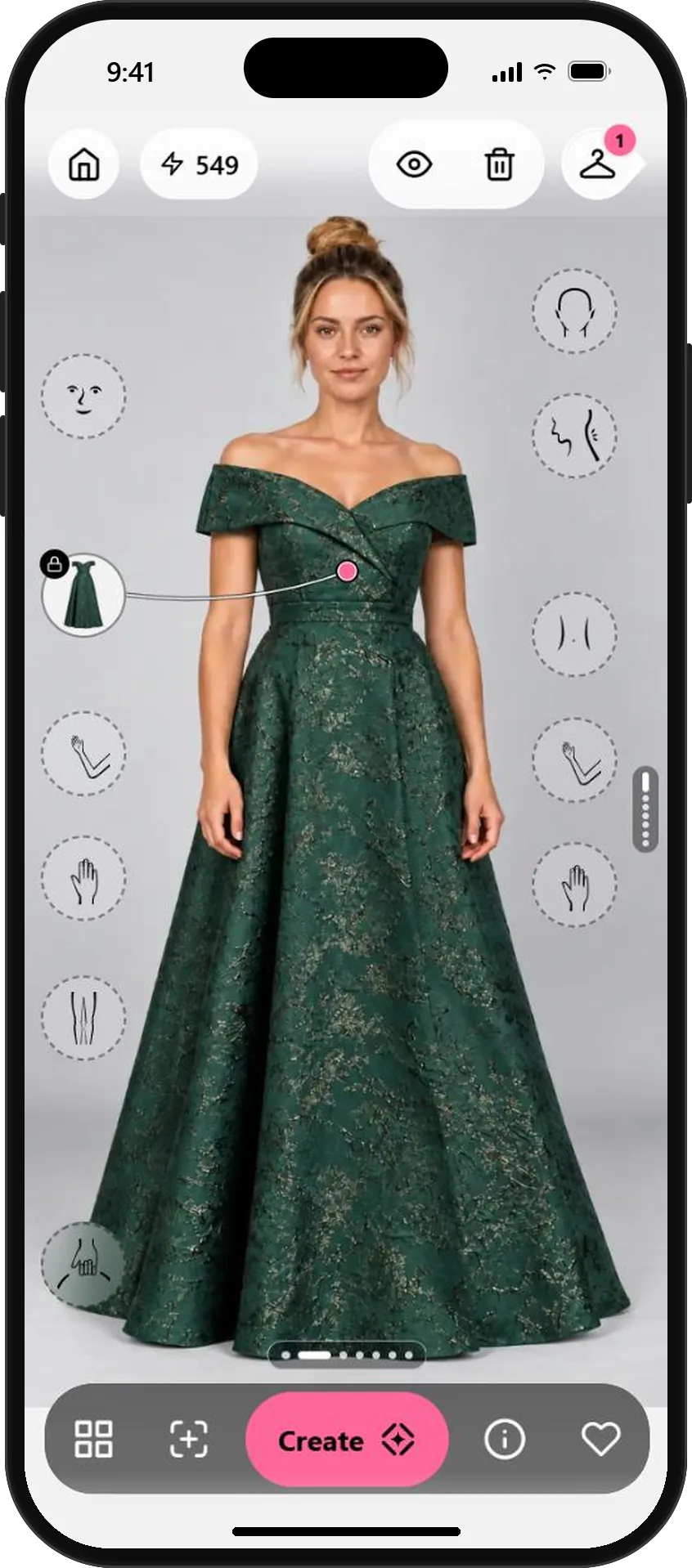
From dress code to the one outfit you buy.
- 01
Start with the dress code
Check the invitation: black tie, cocktail, garden party or casual. Then browse Brands in Wardrobe for dresses that fit it, or add screenshots from your favorite shops.
Skip white, ivory and anything that could look bridal in photos.
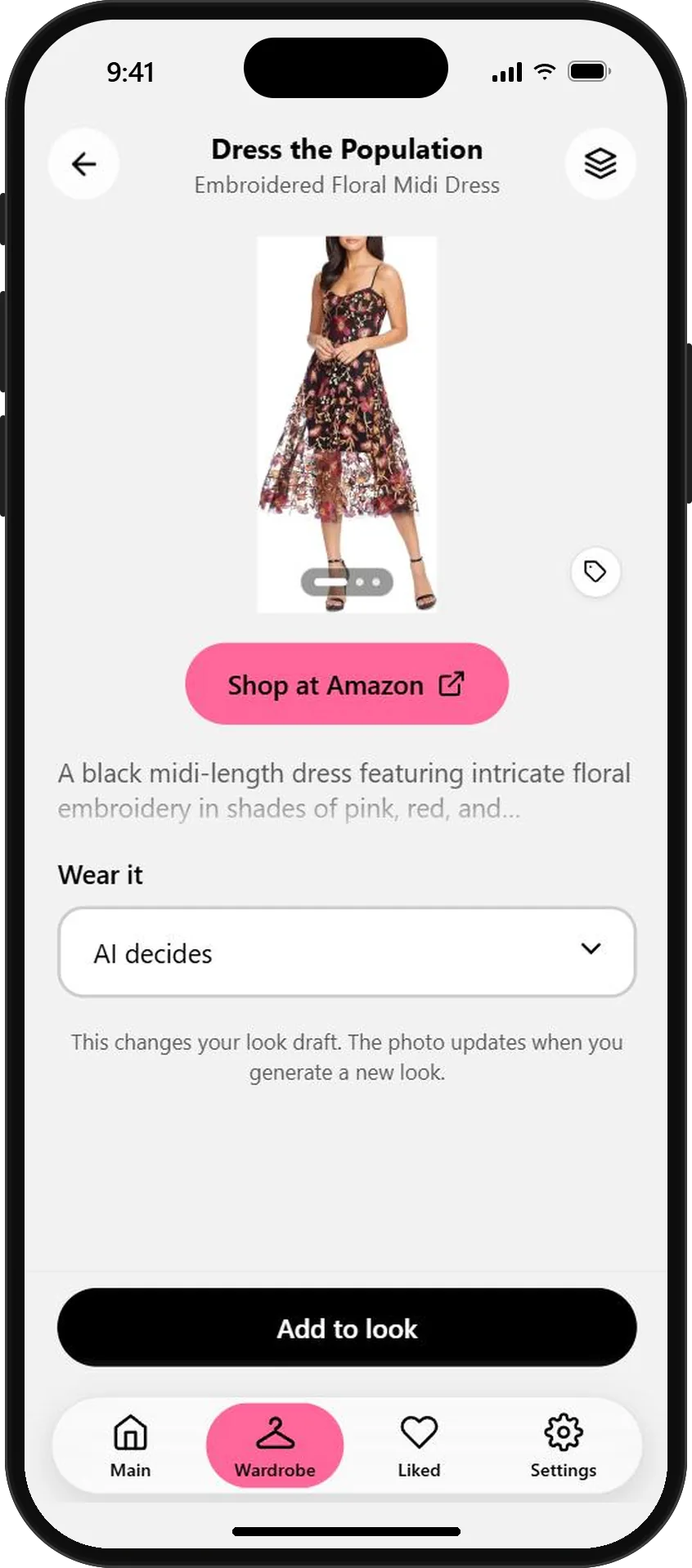
A floral midi for a garden wedding - 02
Try each candidate on your photo
Add a dress to your look and tap Create. Then go back to your original photo and try the next one. Every result stays in Session looks.
Try at least one option outside your comfort zone. A color you never wear might be the one.
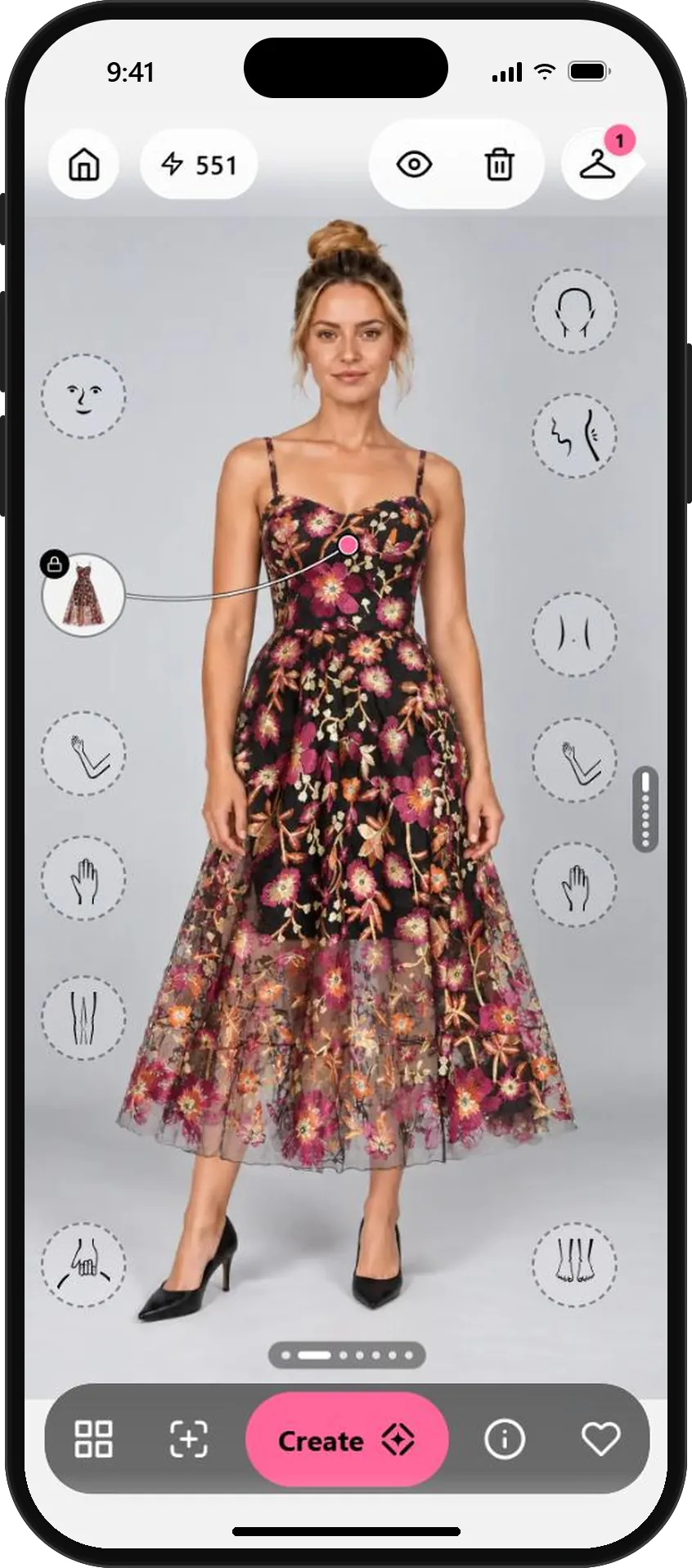
Garden party: the floral midi Black tie: the jacquard gown - 03
Finish the outfit
Add a bag, shoes or sunglasses on top of a look you like. OutfitMe keeps the dress and adds the new piece, so you see the complete outfit.
Sponsored pieces marked Free generation don't use credits, so accessories are easy to experiment with.
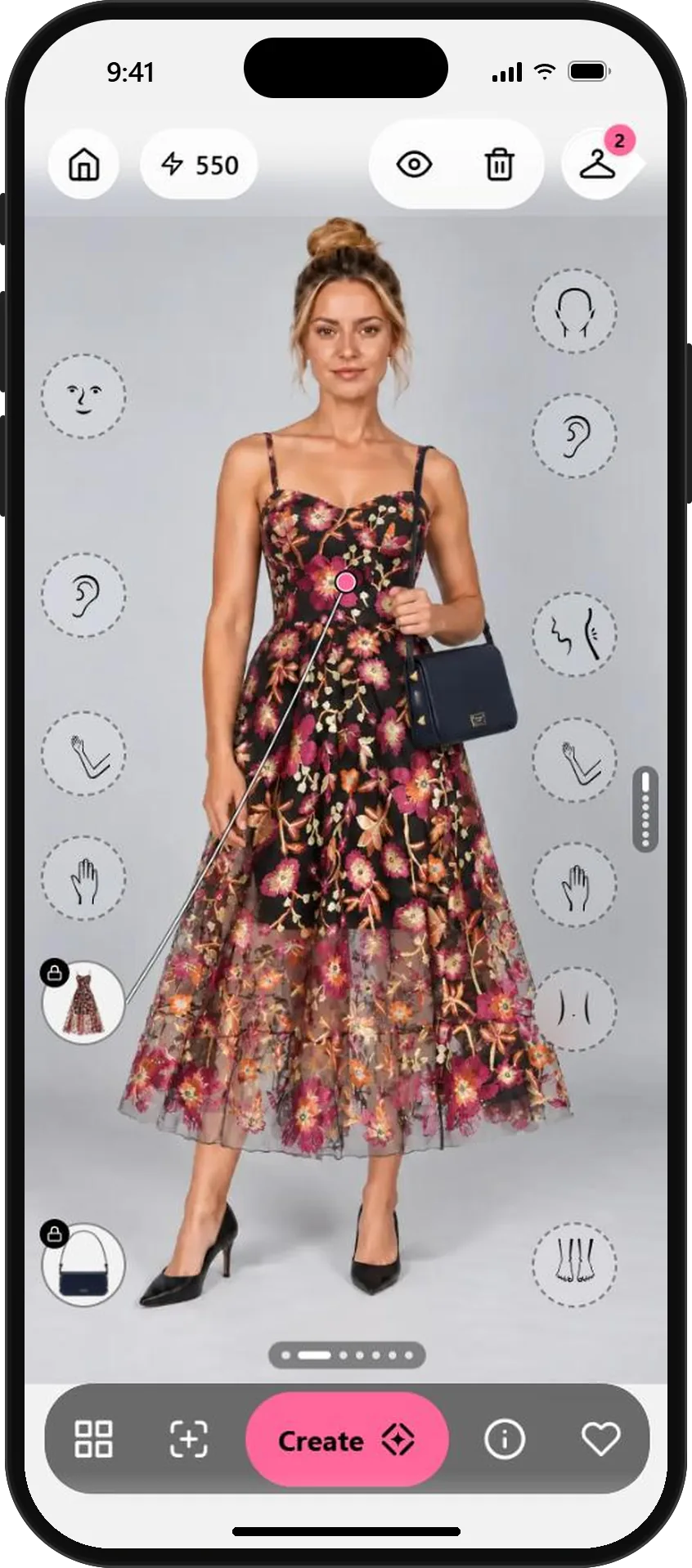
The same dress, now with a bag - 04
Compare and buy just one
Tap the heart on the looks you like. Liked keeps them side by side, so the choice is easy. Share the finalists with a friend if you need a second opinion.
Each library piece has a shop link, so the winner is one tap away.
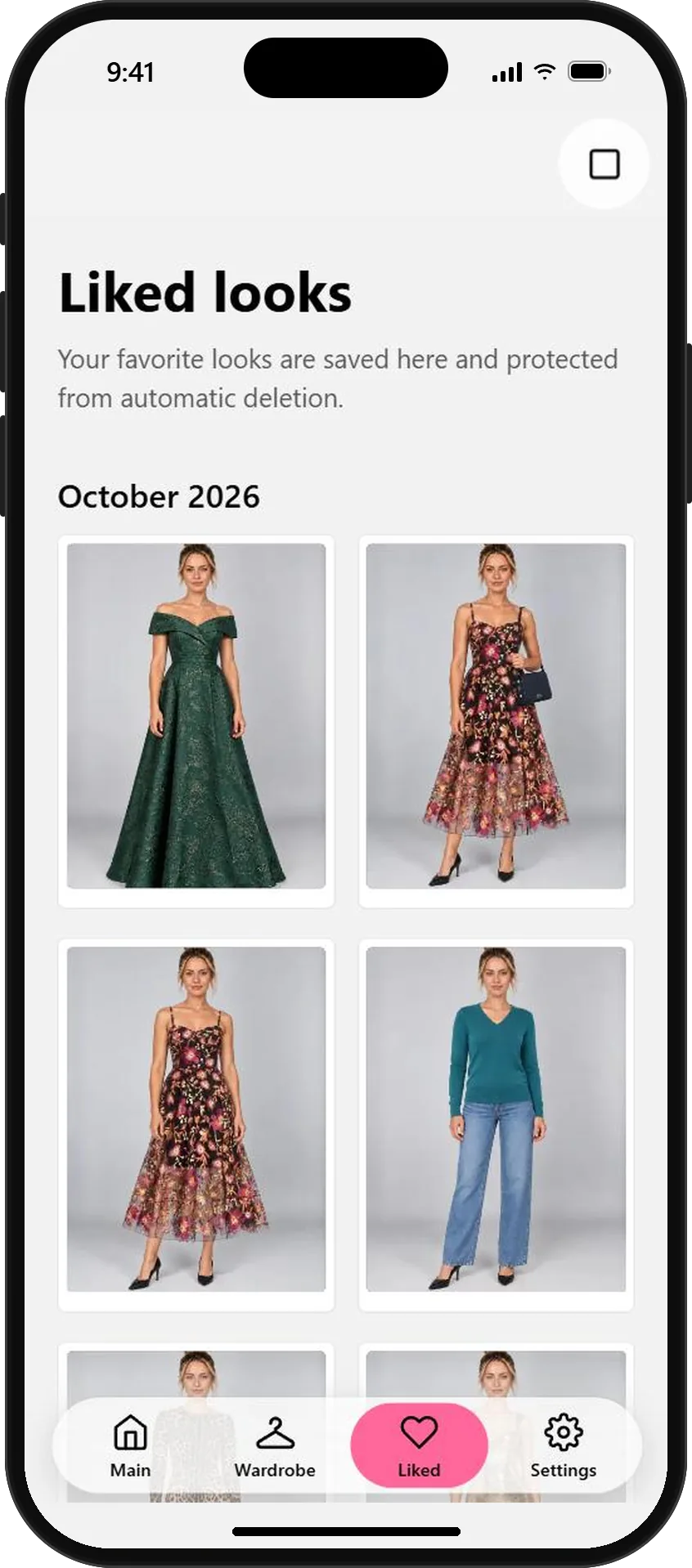
Your options, side by side
AI previews help you choose a style for the day. Check fabric, fit and length in person before the wedding.
What will you wear next?
Start free with your photo and the pieces you love. No credit card needed.